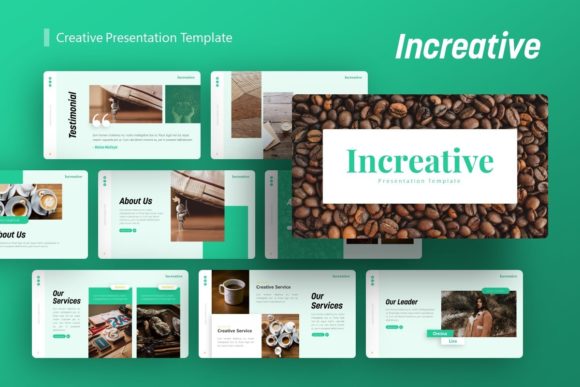
Increative: A Versatile Creative Presentation Template
Creating a visually stunning presentation often feels like a balancing act between compelling content and professional design. For many professionals, entrepreneurs, and creatives, the challenge lies not in having ideas, but in translating those ideas into a format that captures attention without requiring advanced graphic design skills. This is where the Presentation Template - Increative serves as a practical solution. It is designed to bridge the gap between raw information and polished visual storytelling, offering a flexible foundation for everything from corporate reports to artistic portfolios.
At its core, Increative is more than just a collection of pre-designed slides; it is a comprehensive visual system built within PowerPoint. The template provides a structured yet adaptable environment where users can focus on refining their message rather than wrestling with alignment tools or color palettes. Whether you are preparing a pitch deck for investors, showcasing photography, or outlining a company profile, this template offers the aesthetic consistency needed to look professional while maintaining the ease of use expected from standard office software.
Core Features That Streamline Design
The primary appeal of any presentation asset is how easily it integrates into an existing workflow. Increative includes 36 unique slides for each template variation, providing enough variety to handle complex narratives without becoming repetitive. However, the quantity of slides is less important than their construction. The template is based on Master Slides, which is a critical feature for efficiency. When you adjust a font, logo placement, or color scheme on the master slide, that change propagates across your entire deck instantly. This eliminates the tedious process of formatting individual pages one by one.
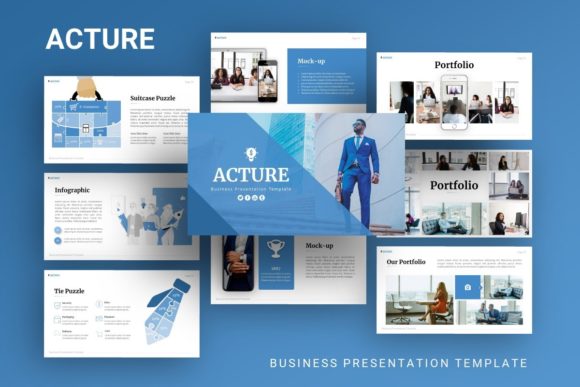
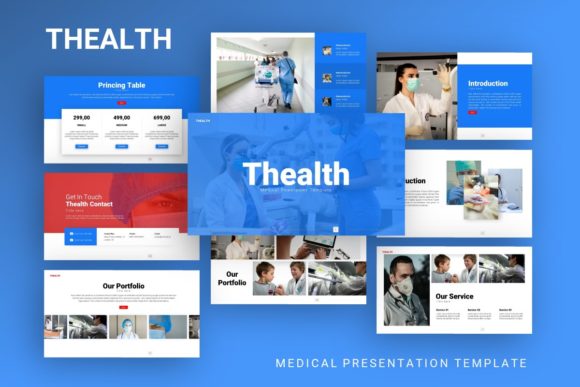
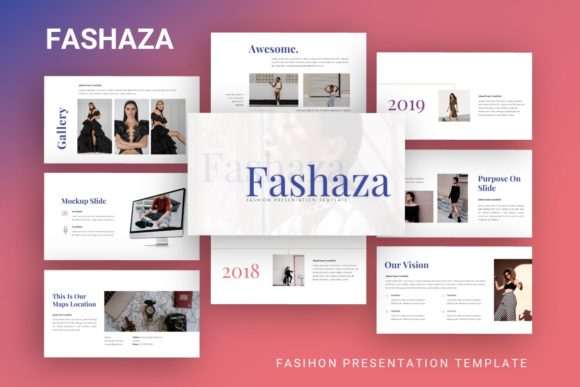
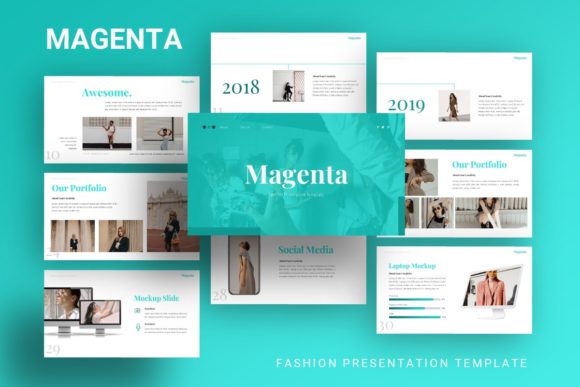
Visual communication is another strong suit of this template. It features handcrafted infographics directly within PowerPoint. Unlike static images imported from external software, these graphics are fully editable vectors. You can resize them without losing quality, change colors to match your brand identity, and modify data points to reflect your specific metrics. This pixel-perfect approach ensures that charts, timelines, and process diagrams look crisp on any screen size, from laptop displays to large conference projectors.
For users who rely heavily on imagery, the drag-and-drop picture placeholders are invaluable. These designated areas allow you to swap out preview images with your own content in seconds, automatically cropping and masking them to fit the layout. This functionality removes the guesswork from image sizing and ensures that your portfolio or product showcase maintains a cohesive grid structure throughout the presentation.
Diverse Applications Across Industries
Versatility is the defining characteristic of the Presentation Template - Increative. While some templates are niche-specific, this resource is engineered to adapt to multiple contexts. Understanding where and how to apply it can help maximize its value.
- Creative Agencies and Portfolios: For designers, photographers, and artists, the template acts as a digital gallery. The clean layouts prioritize visuals over text, allowing high-resolution work to take center stage. The minimalist aesthetic prevents the template itself from competing with the artwork being displayed.
- Startups and Pitch Decks: Entrepreneurs need to convey trust and innovation quickly. Increative provides structured layouts for problem-solution narratives, market analysis, and team introductions. The professional polish helps establish credibility with potential investors who judge startups partly on their ability to communicate clearly.
- Corporate and Business Profiles: Established companies can use the template for internal reporting, client proposals, or annual reviews. The infographic capabilities make dry data more digestible, while the consistent branding reinforces corporate identity during meetings.
- Personal Branding: Freelancers and job seekers can utilize the personal portfolio layouts to create interactive resumes or capability statements. In a competitive job market, a well-designed presentation can differentiate a candidate from those submitting standard PDF documents.
Practical Considerations Before You Begin
While Increative is designed for accessibility, there are important factors to consider to ensure a smooth experience. First, understand the file deliverables. The package includes the PowerPoint .PPTX file, a documentation file, and vector icons. The documentation is particularly useful for beginners, as it explains how to manipulate the master slides and edit the custom infographics. Skipping this step is a common mistake that leads to frustration when trying to customize advanced elements.
It is also vital to manage expectations regarding imagery. All images seen in the demo previews are for display purposes only and are not included in the downloadable files. Users must have their own high-quality assets ready before starting. Using low-resolution or watermarked stock photos can undermine the premium feel of the template. Plan your visual assets in advance to ensure they complement the sophisticated layout of Increative.
Additionally, consider the technical requirements. Since the infographics and icons are vector-based within PowerPoint, using an outdated version of the software might limit editability. Ensuring your Microsoft Office suite is relatively current will guarantee that all resizable and editable features function as intended. This template leverages modern PowerPoint capabilities to provide a designer-like experience, so taking advantage of those native tools is essential.
Maximizing Value Through Customization
To truly benefit from the Presentation Template - Increative, users should view it as a starting point rather than a finished product. The "easy customizable contents" feature is meant to encourage adaptation. For example, a marketing team might combine the timeline infographic with the team introduction slide to show agency growth alongside key personnel hires. A photographer might alter the background colors of the master slide to switch between a light mode for commercial work and a dark mode for fine art portfolios.
The inclusion of vector icons further extends customization possibilities. Instead of searching for mismatched icons online, users have access to a cohesive set that scales perfectly. These can be used to create custom bullet points, highlight key statistics, or build navigation menus within the presentation. By utilizing these integrated assets, the final output remains stylistically unified.
Ultimately, the goal of using a tool like Increative is to reduce the friction between concept and execution. It supports professionals and creatives by handling the heavy lifting of layout and typography, freeing up mental energy for strategy and storytelling. Whether you are a student presenting a thesis, a consultant delivering recommendations, or a creative director pitching a campaign, this template provides the structural integrity and visual elegance necessary to communicate effectively. By understanding its features, respecting its technical requirements, and leveraging its flexibility, users can transform standard presentations into memorable visual experiences.