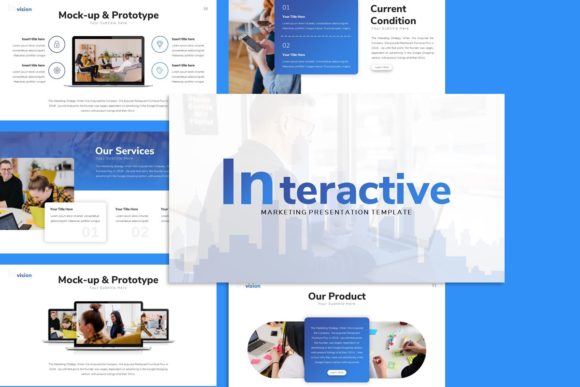
Interactive Marketing Presentation: Transforming Static Slides into Engaging Experiences
An Interactive Marketing Presentation is more than just a digital slideshow; it is a dynamic communication tool designed to facilitate two-way engagement rather than passive consumption. Unlike traditional linear decks where the audience simply watches information unfold, an interactive presentation invites participation, navigation, and exploration. This format leverages hyperlinked master slides, embedded media, and non-linear storytelling to create an experience that feels closer to a website or an app than a standard document. When utilizing a comprehensive template with 35 handcrafted slides, the goal shifts from merely displaying data to creating a navigable environment where stakeholders can explore content at their own pace or follow a guided narrative that adapts to real-time feedback.
Elevating Creative Agency Pitches and Client Proposals
For creative agencies, the presentation itself serves as the first tangible proof of design capability. Sending a static PDF after pitching high-end branding or web design services creates a disconnect between the promised creativity and the delivery method. An Interactive Marketing Presentation bridges this gap by functioning as a portfolio piece within the pitch deck itself. With fully editable vector icons and pixel-perfect illustrations, agencies can customize the aesthetic to match either their own brand identity or the prospective client’s visual language before the meeting even begins.
In practical scenarios, this interactivity allows account managers to navigate complex proposals non-linearly. If a client interrupts to ask about pricing during the strategy section, the presenter can instantly jump to the budget slide via a hidden menu or interactive index without awkwardly clicking through twenty irrelevant slides. This responsiveness demonstrates professionalism and respect for the client's time. The inclusion of drag-and-drop picture placeholders means teams can quickly swap in mockups or previous case study imagery relevant to the specific industry of the prospect, making every pitch feel bespoke rather than templated.
Streamlining Corporate Profiles and Internal Communications
Corporate environments often suffer from "death by PowerPoint," particularly when disseminating company profiles or quarterly updates. An interactive approach transforms these mandatory updates into accessible resources. By utilizing master slides to create a persistent navigation bar, employees or external partners can treat the presentation as a reference document. They can click directly to the "Leadership Team," "Sustainability Goals," or "Financial Overview" sections without reading the entire deck sequentially.
This utility extends to onboarding and training. New hires can navigate through company history, culture values, and operational protocols interactively, engaging with the material actively rather than passively watching a trainer click through slides. The ability to resize and edit all graphics ensures that organizational charts and process infographics remain accurate and visually consistent, even as the company evolves. Because the template includes documentation files, marketing or HR teams can maintain brand consistency across departments, ensuring that everyone from sales to operations uses the same high-quality, interactive foundation for external and internal communications.
Enhancing Startup Pitch Decks and Investor Relations
Startups face the unique challenge of conveying massive vision within limited timeframes. Investors often have specific areas of interest—some focus on product-market fit, others on financial projections or team pedigree. A linear deck forces a single narrative path that may not align with an investor's immediate curiosity. An Interactive Marketing Presentation allows founders to adapt their story in real-time. During a Q&A session, being able to pull up a detailed user acquisition infographic or a technical architecture diagram instantly can be the difference between securing funding and receiving a "pass."
The 35-slide structure provides ample room for both the high-level executive summary and the deep-dive appendices that sophisticated investors expect. Handcrafted infographics in PowerPoint allow startups to visualize complex data sets without needing expensive custom design work for every iteration. Since all elements are vector-based, they remain crisp whether projected on a conference room screen or viewed on a tablet during a coffee chat. This flexibility is crucial for early-stage companies that must pivot their messaging frequently based on feedback, allowing them to update specific modules of the deck without redesigning the entire asset.
Showcasing Photography and Personal Portfolios
Visual professionals like photographers, architects, and designers require presentation formats that prioritize imagery over text. Standard templates often constrain photos into rigid boxes that crop out essential details. An interactive template designed with creative portfolios in mind offers resizable picture placeholders that respect the aspect ratio and composition of the work. The interactive element here functions as a gallery curator; viewers can click thumbnails to view full-screen images, toggle between before-and-after edits, or navigate through different project categories seamlessly.
For personal portfolios, this format serves as a hybrid between a resume and a website. It can be sent as a .PPTX file or exported to PDF with working links, providing a rich media experience that static resumes cannot match. Freelancers can include video reels, client testimonials, and interactive case studies that demonstrate problem-solving processes. The pixel-perfect illustrations and clean typography ensure that the design of the portfolio enhances rather than distracts from the work itself, maintaining a professional aesthetic that appeals to art directors and hiring managers.
Practical Considerations Before Implementation
While the benefits of interactivity are significant, successful implementation requires thoughtful preparation. One primary consideration is the delivery environment. Interactive features like hyperlinks, embedded videos, and animations function best within the native PowerPoint application. If the recipient views the file in a web browser, Google Slides, or a stripped-down mobile viewer, some functionality may break or appear inconsistent. Always test the deck on the specific hardware and software that will be used during the actual presentation. Having a non-interactive backup version is a prudent safety measure for technical contingencies.
Another critical factor is content hierarchy. Having 35 customizable slides does not mean all 35 should be used in every scenario. Overloading an interactive presentation with too many navigation options can cause cognitive friction. Users should curate the template down to the most relevant slides for their specific audience, hiding unused master slides to keep the navigation clean and intuitive. The goal is to reduce friction, not add complexity. Additionally, while the template includes vector icons and graphics, users must remember that demo images are for preview purposes only. Sourcing high-quality, licensed photography that matches the template’s aesthetic is essential for maintaining the professional polish demonstrated in the preview.
Balancing Flexibility with Brand Consistency
The ease of customization in modern templates is a double-edged sword. While drag-and-drop functionality and editable vectors allow for rapid changes, they also make it easy to accidentally break visual alignment or deviate from brand guidelines. Teams should establish clear rules for which master slides can be altered and which should remain locked to preserve structural integrity. The handcrafted infographics are designed with specific proportions and color palettes; changing these arbitrarily can reduce their effectiveness. Leveraging the included documentation file helps teams understand the intended use of each element, ensuring that the final output remains cohesive.
Ultimately, an Interactive Marketing Presentation is a strategic asset that adapts to the user's needs. Whether streamlining a corporate report, energizing a startup pitch, or showcasing a creative portfolio, the value lies in how the interactivity serves the narrative. It transforms the presenter from a narrator into a guide and the audience from spectators into participants. By understanding the specific requirements of your industry and audience, and by respecting the technical parameters of the format, you can leverage these tools to create presentations that are not only seen but experienced and remembered.